Unveiling Android Pulse: A New Link to Device Resource Protection
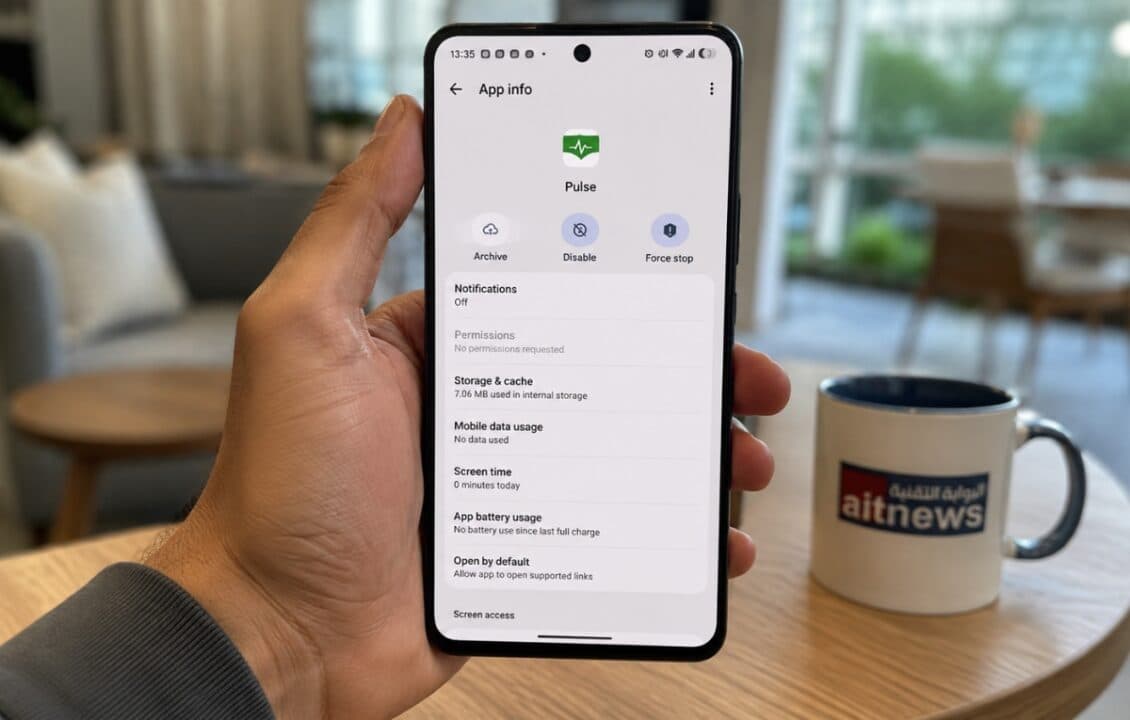
Working Mechanism and Detection of Abnormal Behavior
The application's concept is based on precise monitoring of system resources, observing the behavior of various applications and detecting any unusual usage or excessive resource drain. The Google Play Store describes this tool as a helper to identify anomalous conditions related to critical and unjustified consumption of the device's vital resources. For example, if an application starts draining the battery suddenly or increases its pressure on the device's processor and RAM, this tool will capture these changes immediately. This mechanism improves system responsiveness and prevents interference between applications, ensuring smooth and stable performance for devices running the Android operating system.Technical Background and Widespread Distribution
This application did not appear suddenly; technical records indicate its existence since March of this year, with multiple versions released gradually. The download numbers for this application have exceeded the 20 million mark, indicating its wide distribution and invisibility to most users who operate it automatically. This application helps the Android system maintain device health and performance metrics, which explains the choice of the green icon resembling heartbeats as a visual symbol. Users can verify its presence via the app store, where it appears among available updates without the need to run it manually, reflecting Google's intention to integrate these features into the system background to enhance overall stability.Related Articles

Apple Engages Award-Winning Photographers to Showcase iPhone Duo Camera Capabilities
Apple engaged award‑winning photographers to shoot the foldable iPhone Duo in its "Shot on iPhone" campaign, showing that image quality depends on the photographer’s skill as well as hardware specs. Sales start on 16 October, with shipments from 23 October.
Apple Unveils Variable Aperture System in iPhone 18 Pro for Better Photography
iFixit’s teardown disclosed a variable aperture system in the iPhone 18 Pro and Pro Max, using thin blades moved by magnets to adjust the opening based on light. The devices also feature larger cooling chambers and the U.S. Pro Max uses a Snapdragon X75 modem. Repairability scored 7/10.
Internal Docs Warn of Human Labor Theft in AI Model Training
Leaked internal documents reveal Microsoft and OpenAI's concerns over using millions of news articles to train AI models, labeling it the biggest theft of human effort. The papers show internal warnings about the impact on the media industry and are linked to lawsuits accusing the firms of copyright infringement, while the companies cite fair use defenses.